You can upgrade your plan by going online to https://get.succeed.net and following the steps below:
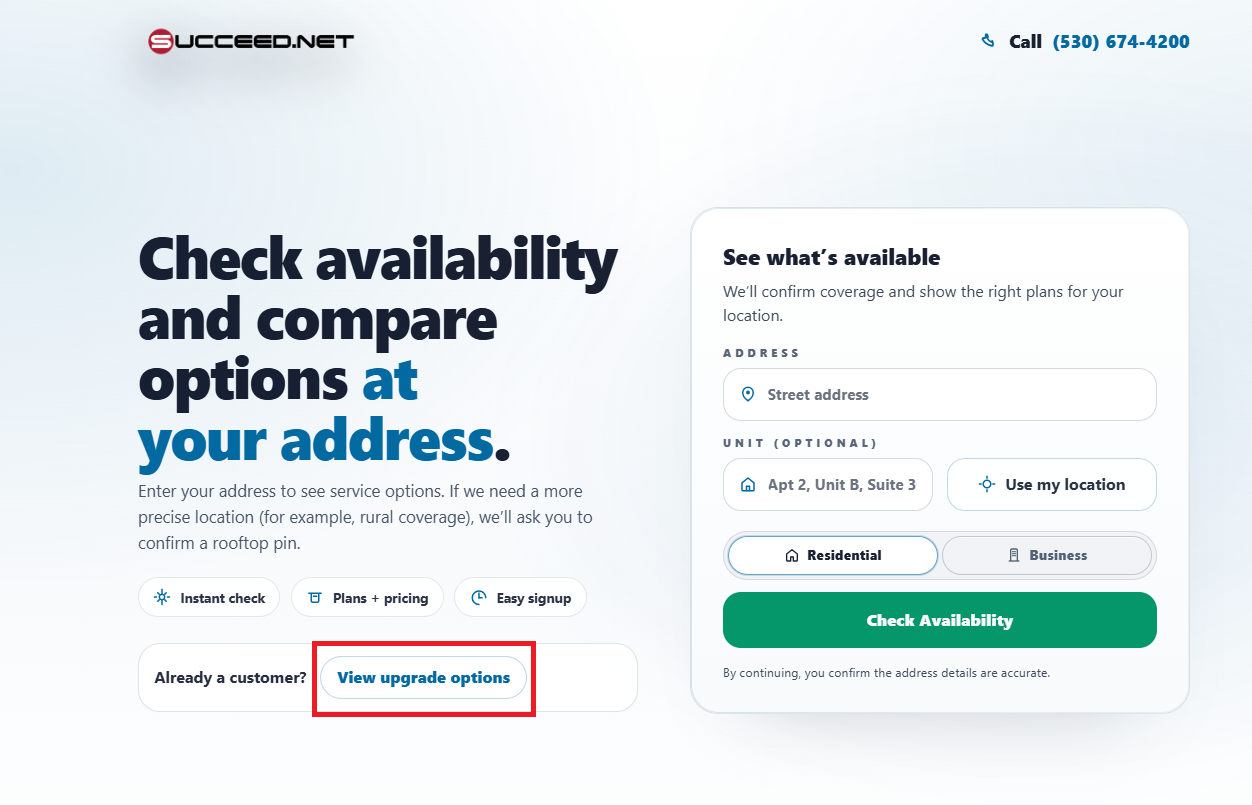
You will click on "View upgrade options".
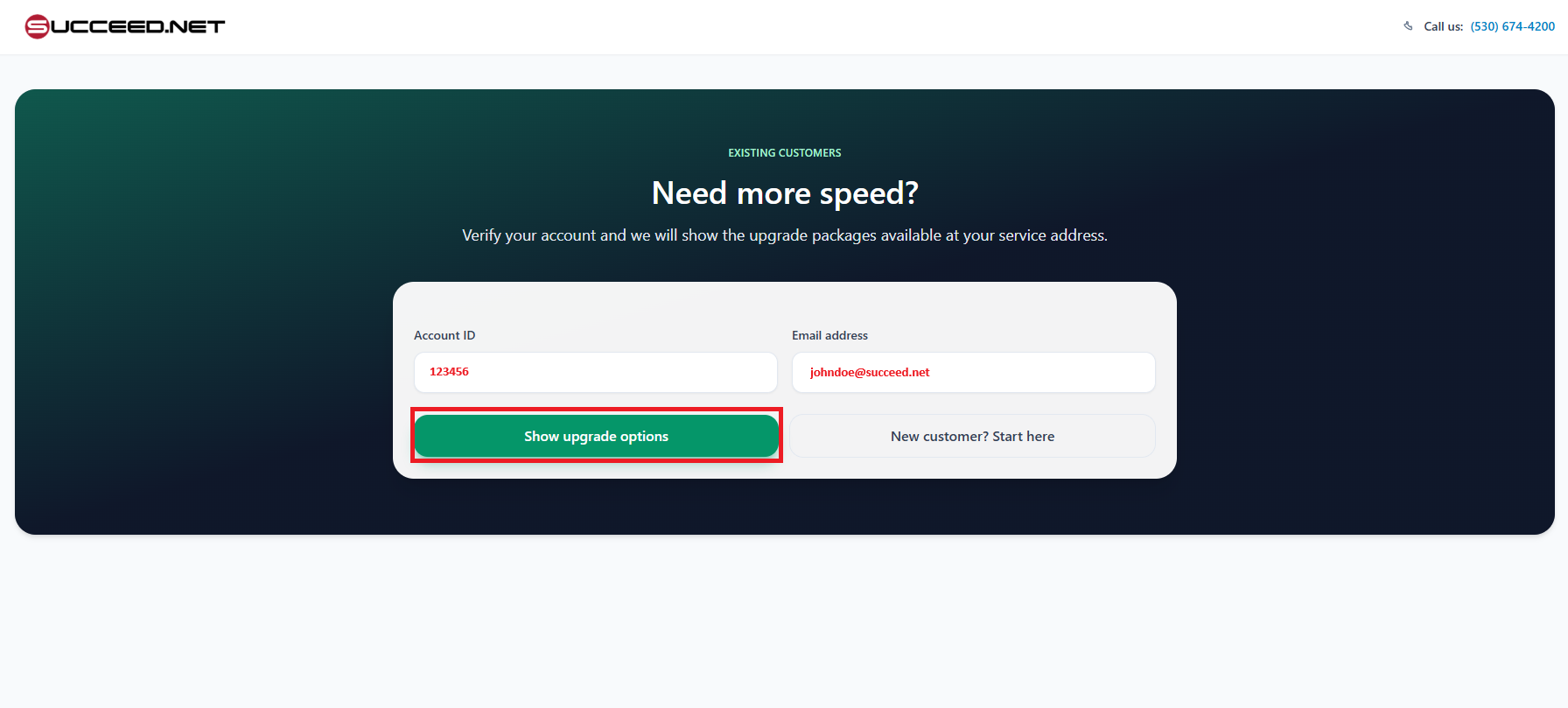
You will input your account number and email address, then click the button "Show upgrade options".
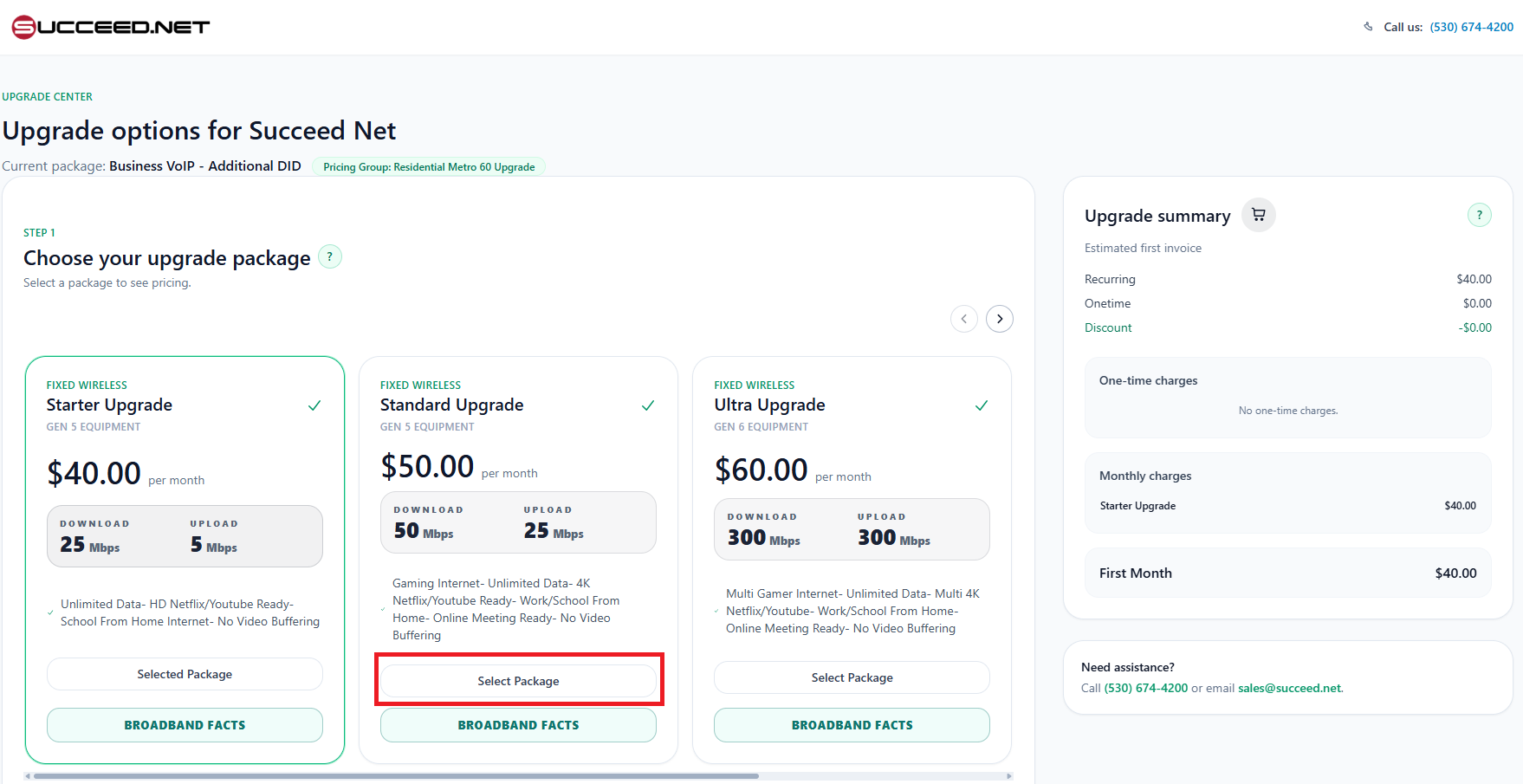
Then select the package you would like and then scroll down.
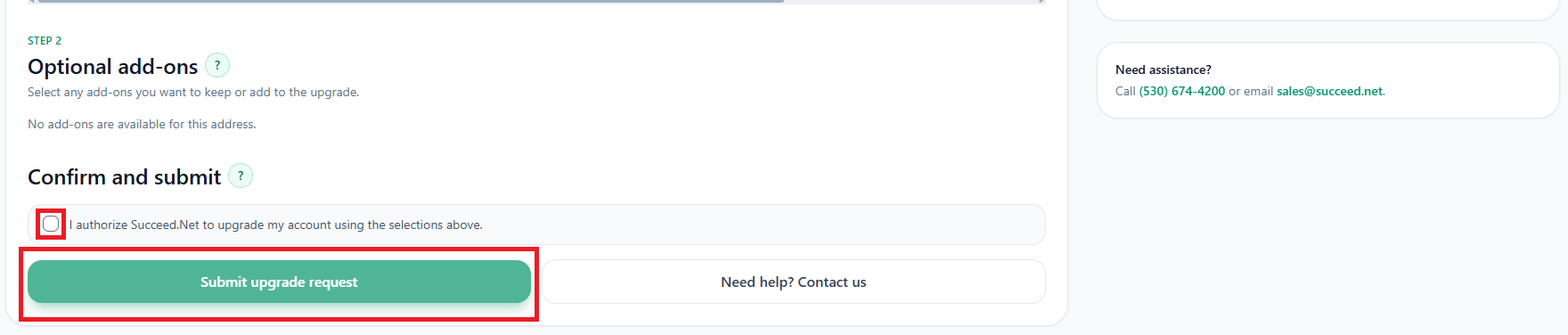
Check the box "I authorize Succeed.Net to upgrade my account using the selections above.", then select the button "Submit upgrade request".
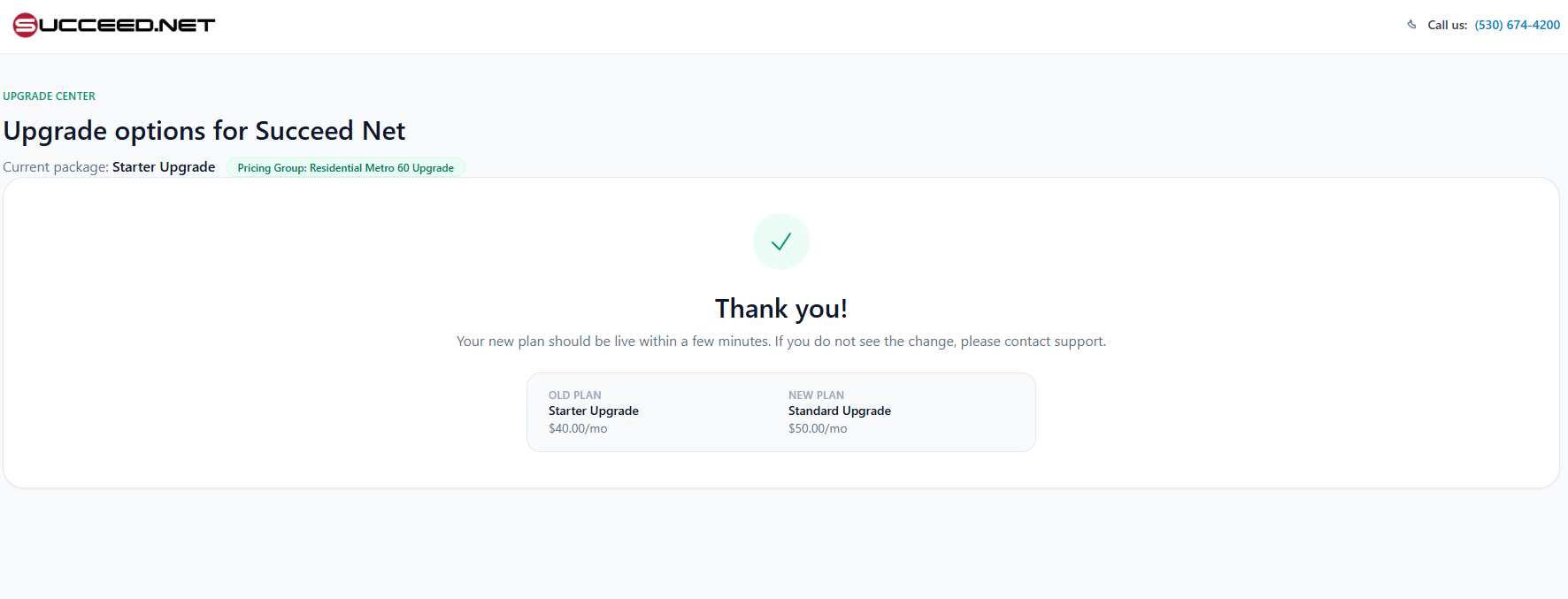
Your upgrade will now be complete and active within a few minutes. Please call Customer Service at 530-674-4200 if you have any issues or questions.